Gamepedia
Taking names and keeping score
buy download
screenshot
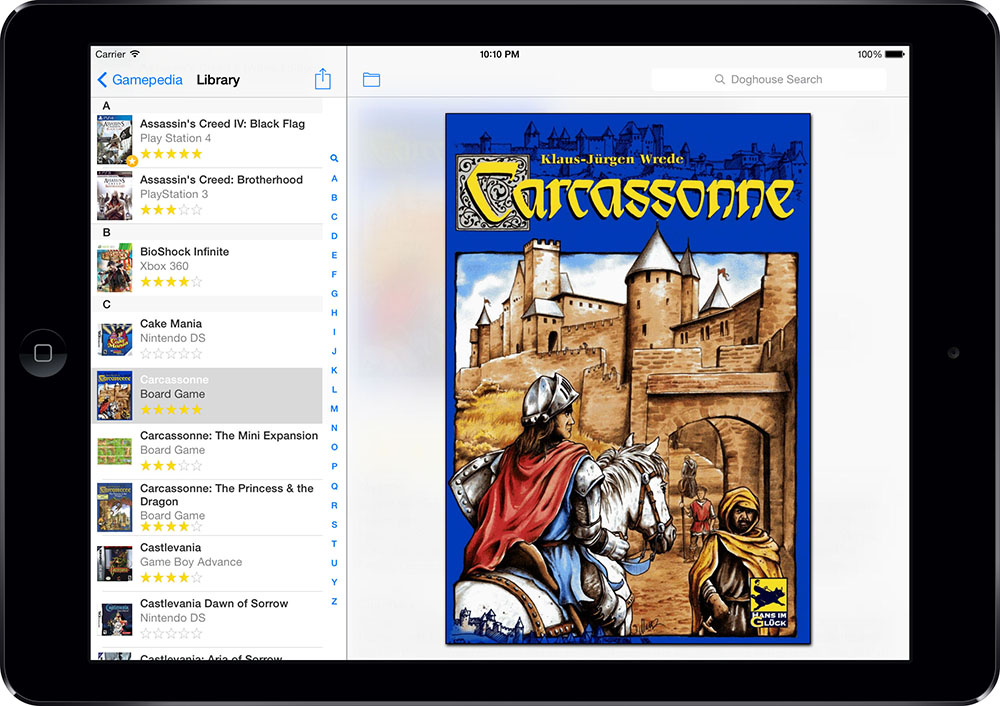
From Pong to Halo 2, Atari to PS3, Beginner Level to Master Chief - Gamepedia is a game cataloging application for everyone running Mac OS X. It lets you keep track of your game progress, where your games are and which ones you want to buy in the future.
tetris
It all fits
Getting your collection into Gamepedia is easy - just let the program do the work for you. Enter the title or a keyword into the search field and Gamepedia gets all the information for you from one of the six Amazon sites (US, UK, Germany, Canada, France, Japan). Find your games even faster with an iSight or a scanner. Just open a search window and scan the UPC. Cuecats, modified or not, are supported too.single tetris
Link it
You just started playing a new game and already found three different walk-throughs, a great cheat page and some awesome screenshots. How are you going to keep track of all these sites? Link them to your entry in Gamepedia. Just drag any URL into the Links tab of the Edit window and it'll automatically become part of the entry. Or write the URL directly into the field provided. Then when you want to get back to a site at a later point, click the View button and presto - the site loads straight into Gamepedia's info view. ipod screenshot
Portable and online
Whether you have all the latest games or just a fun collection of old-school Nintendo, let everyone know about it. Gamepedia's customizable HTML export puts your collections online fast. And with the dedicated iPod export you can take your collections with you - always know your highest score or the last time you played a game. Something to impress the ladies...
Cross the finish line
These are just a few of the many awesome features you'll find in Gamepedia. To really see what Gamepedia can do for you and your game collection, download the free demo version now and have a look for yourself. The demo version limits you to adding 25 games but is otherwise fully functional. To remove the restriction, buy Gamepedia here or from within the application.
Check out the bundle prices at the top of the page if you're also interested in our other Pedias.

Screenshots
screenshot 1 screenshot 2 screenshot 3
Interested in more than one Pedia? Check out our bundle prices.
universal binary Version: 4.5.5 (8.2 MB)
Requirements: OS X 10.4.9+
What's new?
 
Feature Highlights
full screen mode Full screen mode (view and play)
apple remote Apple Remote compatible
search sites Search access to all Amazon sites
links Add links to URLs, files or images
bar code iSight & scanner integration
Bluetooth icon Bluetooth connection enabled
HTML icon Customizable HTML export
info view button Customizable info view
dotmac Direct export to MobileMe
ipod Automatic iPod export
spotlight icon Spotlight integration
leopard Quick Look integration
borrowed icon Borrowed feature with due date
address book Address book integration
wishlist icon Wishlist collection
independent collection Library-independent collections
smart collection Self-updating smart collections
collection folders Folders for better organization
widget Amazonpedia widget included
statistics Database statistics
localizations Spanish, French, German, Italian & Dutch localizations
Raves and reviews
 
Have you seen the other Pedias?
dvdpedia icon cdpedia icon bookpedia icon
 
Social bookmarks - what's this?
  delicious  furl  iusethis 
  magnolia  blinklist yahoo